
Help & Controls
Starting & Stopping the Game
Playing DanceJump is easy! Here's how to control the game session:
- Start/Stop: Click the DanceJump button that appears on the YouTube player.
- Pause: The game automatically pauses when you pause the YouTube video.
💡 Tip: The game starts automatically after the chart is generated. You'll see a countdown (3, 2, 1, GO!) before the first notes appear.
Game Controls
DanceJump supports keyboard, dance pads, and gamepads.
⌨️ Keyboard
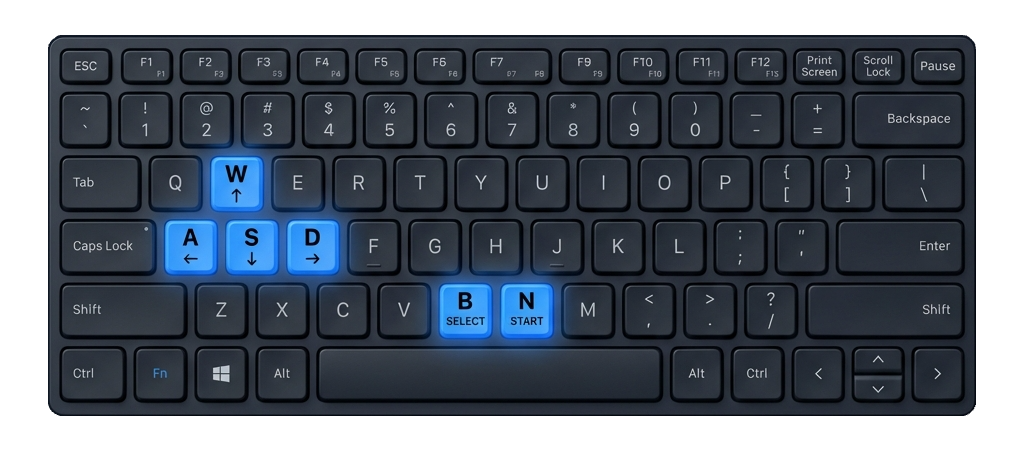
- Directions: W A S D
- Select: B
- Start: N
- Join Multi: N
💃 Dance Pad
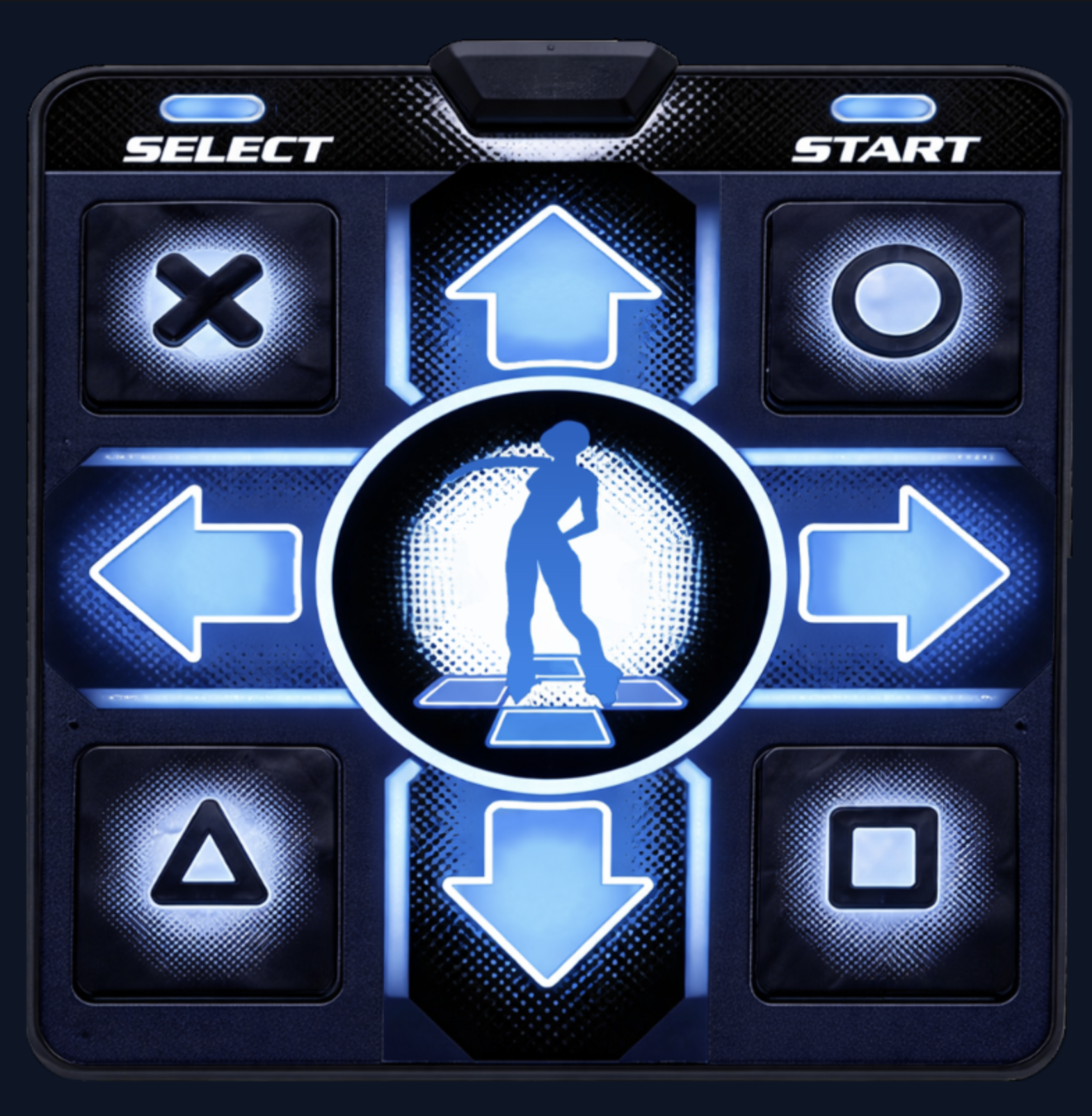
- Directions: Arrows
- Select: Select Button
- Start: Start Button
- Join Multi: Any button
🎮 Gamepad
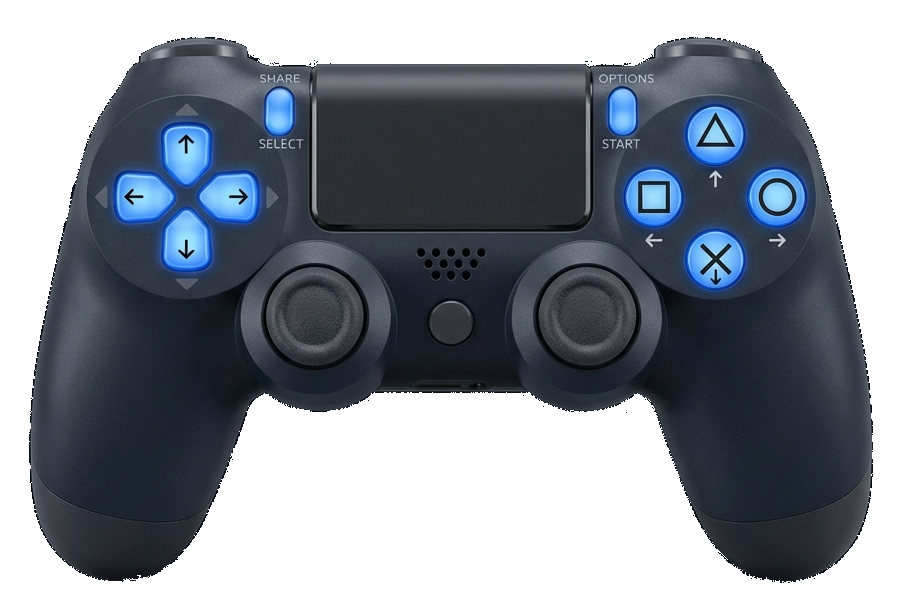
Use D-Pad or Face Buttons for steps. Options/Start to join.
Profiles & Difficulty
Each player can have their own profile and difficulty settings.
- Add Profile: Open Settings → Profiles → Add Profile.
- Switch Profile: Use Select + Left/Right in-game.
- Change Difficulty: Use Select + Up/Down.
Multiplayer Mode
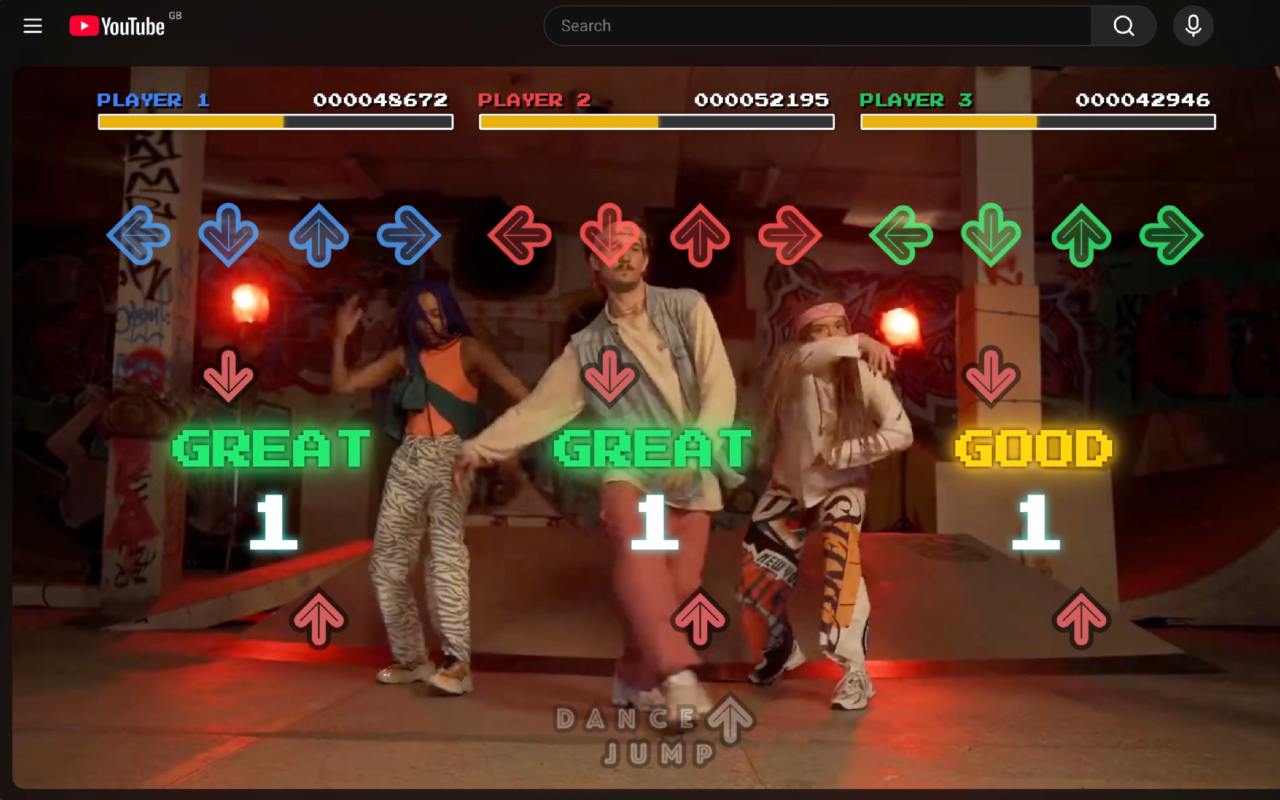
Play locally with up to 4 friends!
- Join: Press Start on a new controller.
- Leave: Hold Start for 3 seconds.
- Colors: Each player gets a unique arrow color.
Charts & Library
DanceJump auto-generates charts, but you can also load your own `.sm` files.
Load Single Chart
Drag & drop or select a file for the current video.
Load Folder Library
Index a local folder to auto-match charts to videos.
Calibration & Settings
If arrows feel off-sync, adjust the Global Offset.
Recommended Offsets:
- Wired Headphones: 0ms to -50ms
- Bluetooth Headphones: +100ms to +300ms
- TV / External Monitor: -50ms to -100ms
Need more help?
Found a bug? Report a bug.
Join the discussion on r/DanceJump.